Polygon buildings
A polygon building stands on any outline you draw, convex or not. It borrows its walls, storey height and roof from one of the catalog's buildings.
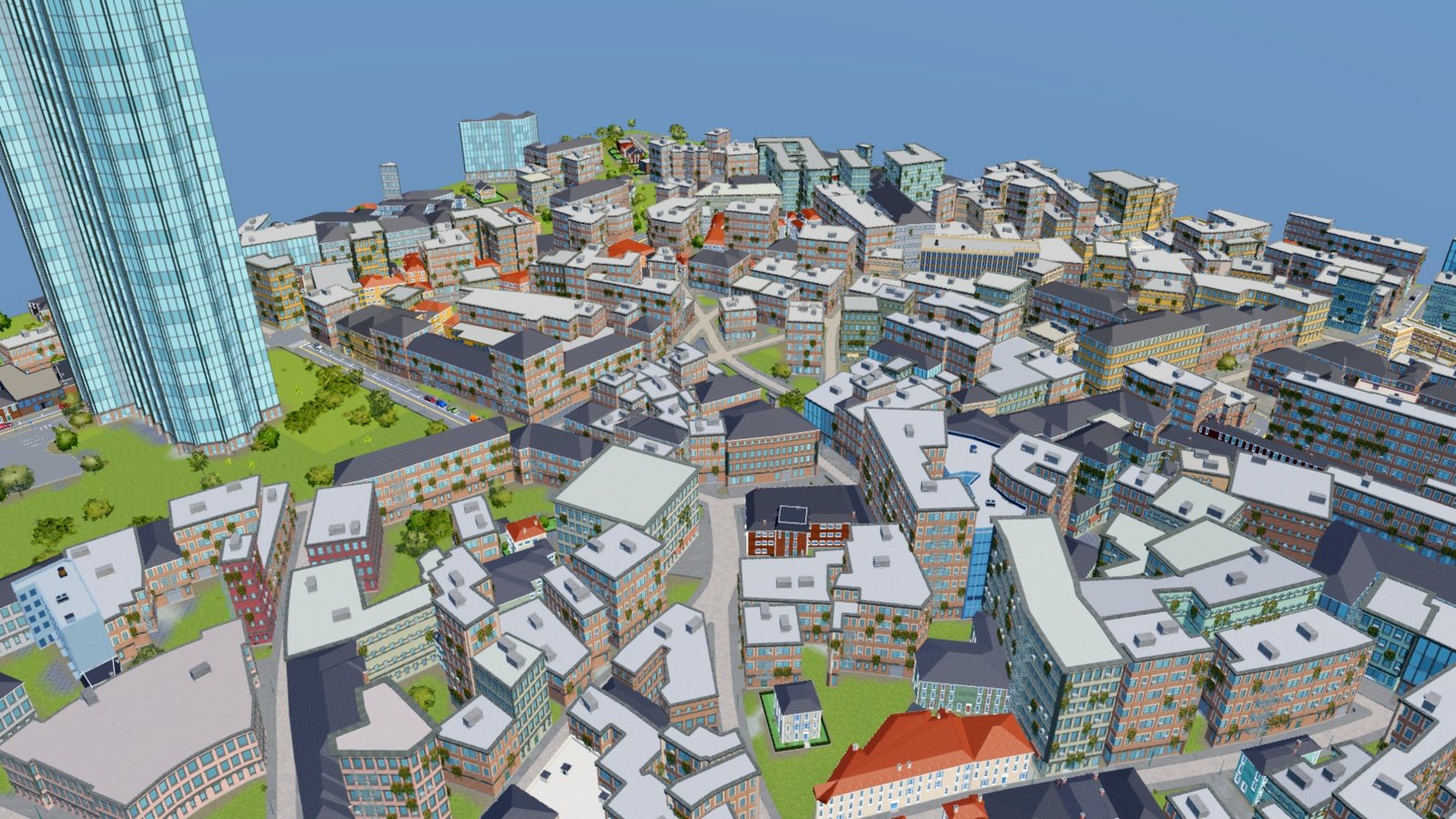
Polygon buildings on real outlines. The City Generator uses them for every mapped building.
Draw one
- Pick the Polygon building tile.
- Pick a Style and set Stories.
- Press Start drawing polygon buildings.
- Click the corners on the ground.
- Click the first corner again, or press Enter or Space, to build it.
Backspace takes back a corner. Esc clears the outline. The longest side gets the door.
The Style list also holds parks, parking lots and gardens. Those fill the outline instead of standing a building on it. A parking lot drawn beside a road gets a driveway onto it.
Reshape one
Select a placed polygon building. Discs appear on its corners and on the middle of each side.
- Drag a corner disc to move that corner.
- Drag a side's middle disc to add a corner there.
- Select a corner disc and press Delete to remove that corner.
When the handle settles the building re-bakes as one undo step. An outline that crosses itself is refused. Studio's Scale tool stretches the whole outline.
How it is built
Each side gets a run of wall pieces, stretched a little along the wall so whole pieces close it. Corners close to square get the style's corner pieces, and other corners get a seam column. The building uses the style's wide and multi-storey windows, balconies, window addons and fire escapes.
Holes
A Hole model subtracts its box from the buildings it touches. Place one on a building, or move one into it, and the building re-bakes with the opening.
| Before | With a Hole model |
|---|---|
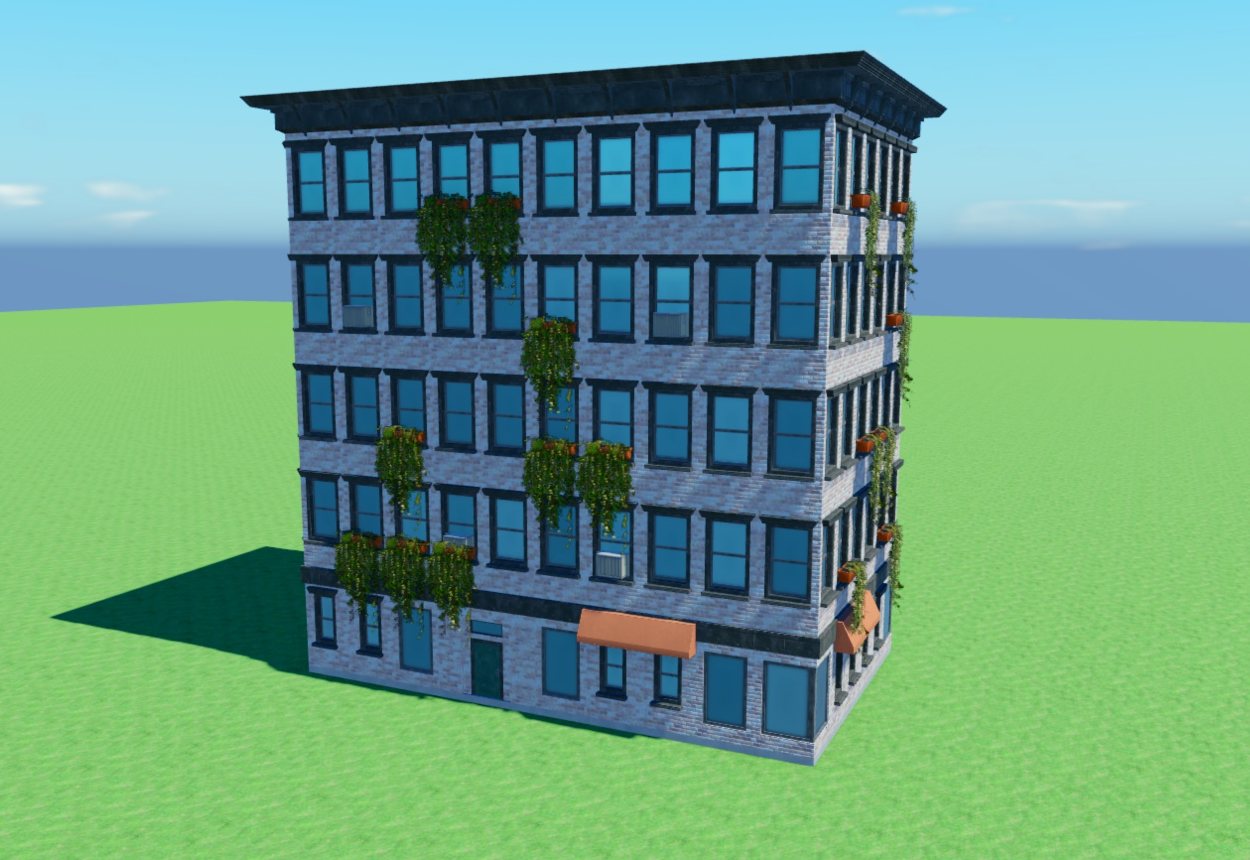 | 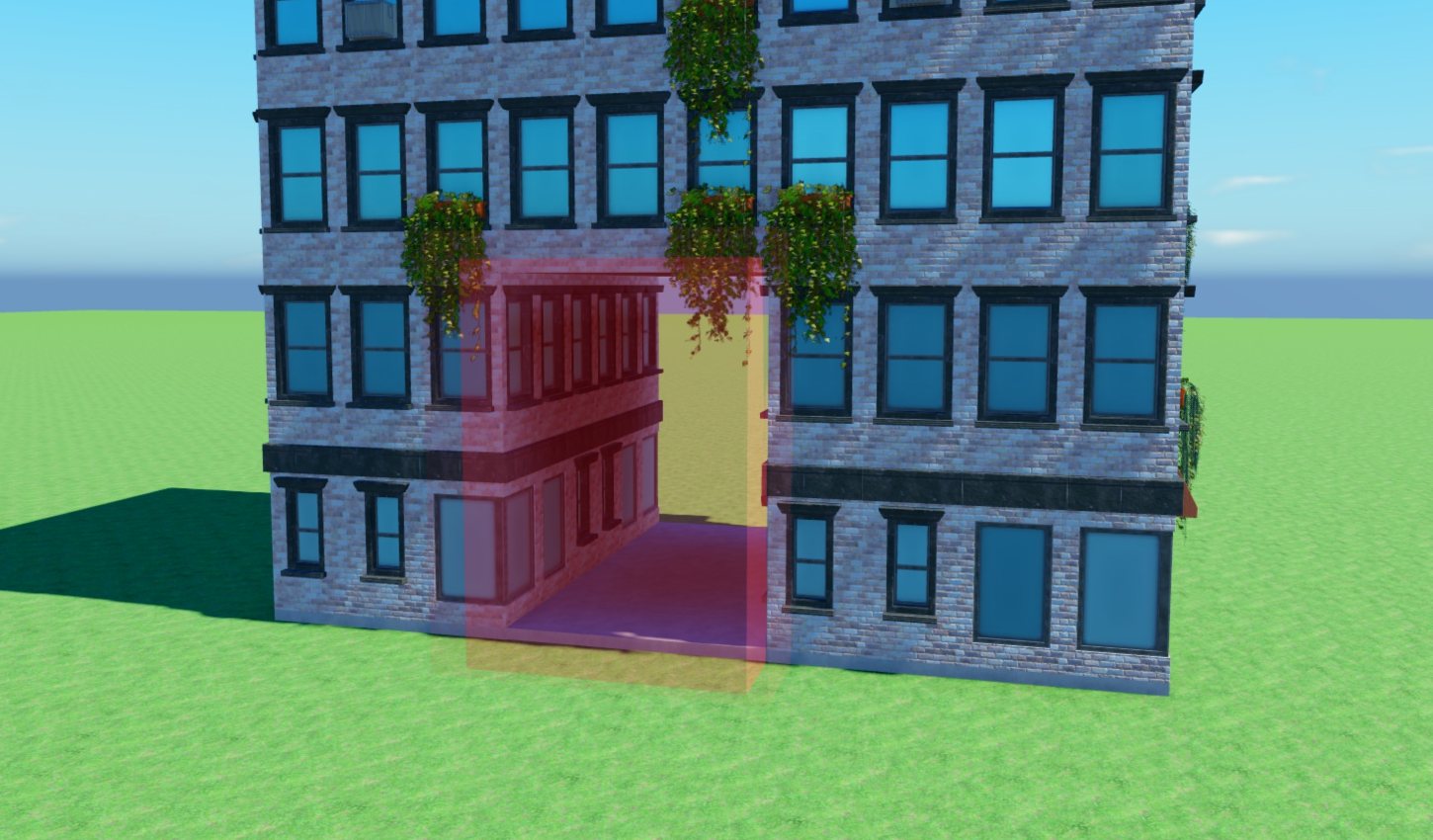 |
The red box is the Hole model. The building re-bakes around it and lines the passage with walls.
- On a detailed building, the cells the hole covers are left out. A hole that reaches deep inside is lined with walls and a ceiling.
- On a facade or graybox building, the opening is cut exactly where the box stands.
- Move, resize or delete the hole and the building closes up or opens to match.
Use a hole for a gateway to a courtyard or a street-level passage. Generated cities do this themselves: where a block's buildings close in its courtyard, one or two of them get a passage named Tunnel.
Gardens and parks
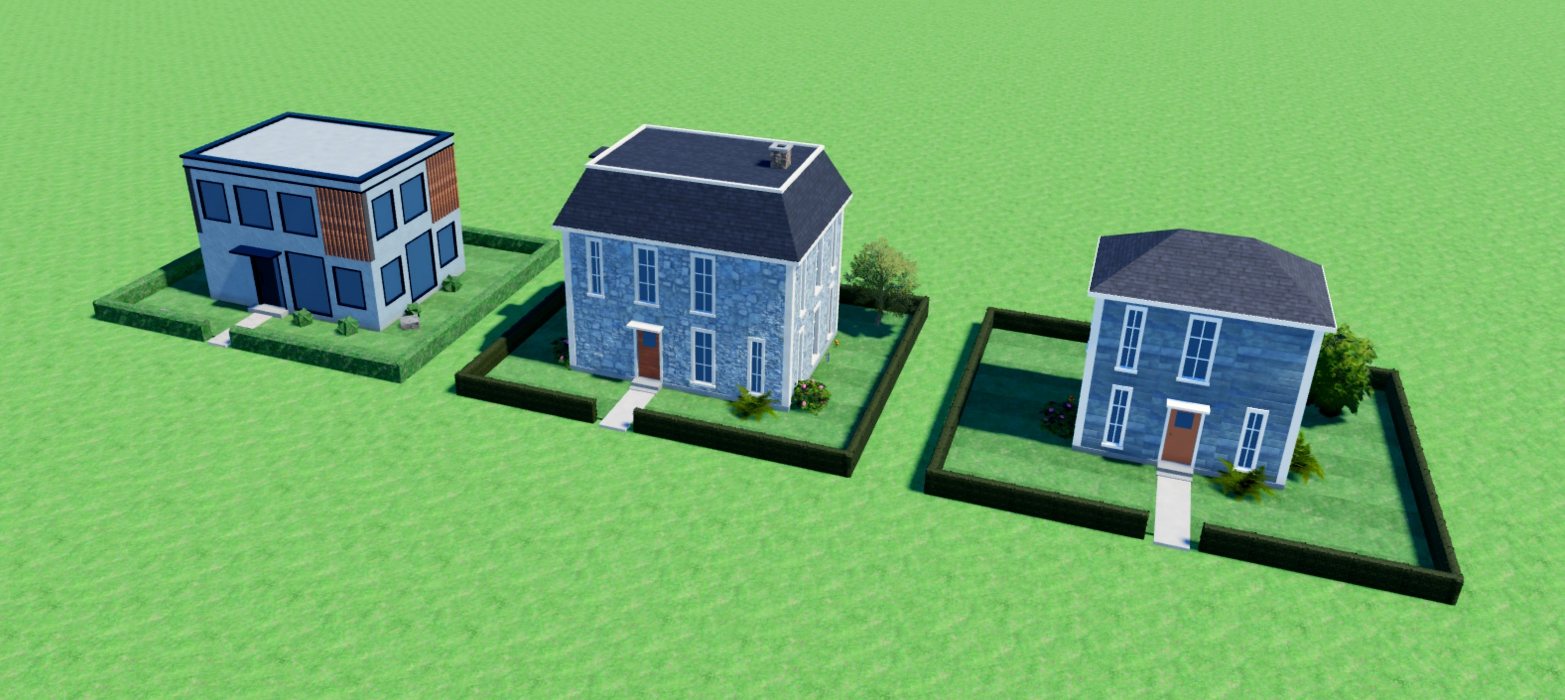
The Garden entry is a model that goes around a house: a lawn, a hedge around the parcel, a path from the front door, and plants along the walls. Hover a house while placing a garden and the ghost fits itself to the house. Selecting a placed garden shows corner handles on the ground for reshaping it, the same way a polygon building does.
Low Poly Garden lays out the same lot from a few dozen plain parts.